
Switching to Mac
Tuesday, March 08, 2016
The 100 Best Mac Games
MacGamerHQ has a list of games that run natively in OS X. Alternatives include running Windows in BootCamp, or Parallels (or similar virtual machine) if the game is not extremely demanding and you have enough RAM.


Thursday, November 10, 2011
BootCamp keys and invert scroll fix for Windows
The new direction of the scroll wheel in OS X 10.7 Lion is reversed, which seems a little insane at first, but quickly becomes obvious that this is the proper direction. What were we thinking?!
Parallels nicely inverts the scroll wheel for you when running Windows virtually. However when you run raw BootCamp on your Mac or perhaps you still have to use a Windows machine, there appears to be no standard scroll wheel inversion method.
Meet AutoHotKey. With a simple script you can have the mouse scroll wheel functioning in Windows the way that God intended. And while you are at it, why not map the Windows/Command key to the Control key.
I haven't quite figured out how to make Command+Tab map to Alt+Tab without messing up the Command/Windows to Control, so send in your solution if you have it.
WheelUp::
Send {WheelDown}
Return
WheelDown::
Send {WheelUp}
Return
LWin::LCtrl
;Optionally you can also map the ctrl to the Win/Command key: LCtrl::LWin
#MaxHotkeysPerInterval 200
^q::Send !{F4}
Parallels nicely inverts the scroll wheel for you when running Windows virtually. However when you run raw BootCamp on your Mac or perhaps you still have to use a Windows machine, there appears to be no standard scroll wheel inversion method.
Meet AutoHotKey. With a simple script you can have the mouse scroll wheel functioning in Windows the way that God intended. And while you are at it, why not map the Windows/Command key to the Control key.
I haven't quite figured out how to make Command+Tab map to Alt+Tab without messing up the Command/Windows to Control, so send in your solution if you have it.
WheelUp::
Send {WheelDown}
Return
WheelDown::
Send {WheelUp}
Return
LWin::LCtrl
;Optionally you can also map the ctrl to the Win/Command key: LCtrl::LWin
#MaxHotkeysPerInterval 200
^q::Send !{F4}
Tuesday, August 30, 2011
Capturing the screen in OS X
Cmd + Shift + 3
Will capture the current visible screen(s) into file(s) onto the desktop in PNG format.
Cmd + Shift + 4
Will enable a cursor to select a section of the screen for capture into a file onto the desktop in PNG format.
Cmd + Shift + 4, space, click
Captures the entire active application window into a file onto the desktop in PNG format.
Skitch
Cmd + Space, "Skitch"
or select the heart shaped icon on the menu bar if sketch is running.
Upload to skitch/evernote or export to jpg/png. Skitch is a free app from the OS X app store which adds excellent annotation to screen capturing. Go get it now!
There are many more OS X command keyboard shortcuts that can really help your productivity. Keep good notes and keep the notes handy!
Will capture the current visible screen(s) into file(s) onto the desktop in PNG format.
Cmd + Shift + 4
Will enable a cursor to select a section of the screen for capture into a file onto the desktop in PNG format.
Cmd + Shift + 4, space, click
Captures the entire active application window into a file onto the desktop in PNG format.
Skitch
Cmd + Space, "Skitch"
or select the heart shaped icon on the menu bar if sketch is running.
Upload to skitch/evernote or export to jpg/png. Skitch is a free app from the OS X app store which adds excellent annotation to screen capturing. Go get it now!
There are many more OS X command keyboard shortcuts that can really help your productivity. Keep good notes and keep the notes handy!
Wednesday, August 24, 2011
iTunes Connect auto ingress tool script
Looking for a script to execute the iTunes Connect auto ingress tool Apple just made available?
The script is simple - it just downloads yesterday's daily report or some other day depending on the parameters and then unzips. The script is available here from github.
Usage: suck.sh
Gets yesterdays's report
Usage: suck.sh 20110822
Gets the report from 22nd August 2011
The auto ingress tool downloads daily or monthly reports from iTunes Connect using a java class. It requires Java 1.6 or later. The tool can be downloaded here, as reported in the App Store Sales and Trends Guide. This is just a java class. Put it in a folder you want the reports delivered to and run the script.
The script is simple - it just downloads yesterday's daily report or some other day depending on the parameters and then unzips. The script is available here from github.
Usage: suck.sh
Gets yesterdays's report
Usage: suck.sh 20110822
Gets the report from 22nd August 2011
The auto ingress tool downloads daily or monthly reports from iTunes Connect using a java class. It requires Java 1.6 or later. The tool can be downloaded here, as reported in the App Store Sales and Trends Guide. This is just a java class. Put it in a folder you want the reports delivered to and run the script.
Saturday, May 28, 2011
Review of 10 iPad Dictionary apps
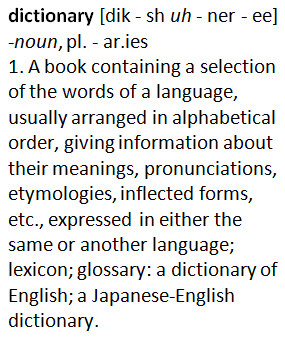 Dictionaries are an excellent resource for solidifying meaning, aiding understanding of texts and sorting out scrabble conflicts. There are plenty of iPad apps with excellent content, many are free. One of the major issues is the interface. Copying text out of some dictionary apps is impossible. Some don't store bookmarks or histories or have a "back" button. Another shortfall is discovery, the lack of serendipity in the app interface which you get when just flicking through the pages of a paper based dictionary. I have performed a small test with a number of dictionary apps, including a range of word look ups and a feature list. There is a reasonable variation among the apps, but fortunately many good ones are actually free.
I have used the paper based Macquarie Dictionary (2nd Ed) for years, however the iOS version is iPhone only and very basic, however the developers have said that an upcoming upgrade will be a universal app. I decided not to test the Oxford, as it was expensive and although tempting, I already had the Australian version which appears to be identical in operation. Note that Collins and the Advanced English apps use the same MSDictViewer engine. Also most pay-for dictionaries often have a cheaper "essential"/"concise" version available. Do you really want to pay for a reduced number of words? Why are you buying a dictionary with some of the words missing?! How are you supposed to read Melville if the dictionary doesn't have "grapnel", "Tophet", "copestone" and so forth.
Words tested: Piccaninny, Load, Tweet, Muggle, Oberon
My paper based Macquarie Dictionary (2nd Ed) has "piccaninny" with three definitions: 1. a Negro or coloured child. 2. an Aboriginal child. 3. A small child. For some reason, piccaninny (also pickaninny) is now considered offensive. So my favourite breakfast dish at Pancake Manor has recently been renamed to "Picadilly Dawn". I was taken aback by the offensive categorisation, so investigating current dictionary definitions was included in this research. Sadly the tested apps came up short compared to the paper based Macquarie definitions. All dictionaries that had the term also noted the word was (possibly) offensive. I assume this is a U.S. issue where any word that contains even a hint of ethnicity is considered offensive. Sadly, even the MacQuarie app did not have definition (3).
I used the number of definitions for the word "Load" to sort the list. "Tweet" was examined for the definition of short message on the Twitter internet service; this is a new word officially added by Oxford ... but oddly not in the Australian Oxford Dictionary. "Muggle" was also used for similar reasons. Finally "Oberon" was examined to see if both the Shakespeare character as well as the satellite of Uranus was listed; the MacQuarie app had only a definition for a town called Oberon, no Shakespeare, no moon; the paper version included a second definition of the name of an Indian actor born in 1911.
The apps usually report number of words stored in the dictionary, but have different ways of measuring this metric which makes comparison invalid. I did include the reported number at the end of the notes section, but this should be seen as a rough guide only.
This blogger's choice
All of the listed dictionary apps fail at some level. Because of this, I would suggest acquiring a couple of the free dictionaries no matter what you end up getting. For a recommendation from the selection below I would suggest the offering from Dictionary.com and the free offering from Merriam-Webster, they have a paid version if you don't like the advertisements. I liked the Collins for content. The Australian Oxford kept having temporary freeze sessions, even after rebooting, reinstalling, but otherwise had good content. WordBook XL is for the scrabble/crossword fiend with it's handy solver function.
| iPad app name | Cost | Size | Advert | Include iPhone | Works Offline | Piccaninny | Load | Tweet | Muggle | Oberon | |
| Dictionary.com | free | 50Meg | Yes | Yes | 1 def, origin | 39 defs | No | Yes | Yes | ||
| Output: Email, facebook, twitter | Notes: History, bookmarks, voice input, shake for a word, 2000K | ||||||||||
| Chambers Dictionary | $10 | 25Meg | Yes | Yes | No | 36 defs | No | No | No astro | ||
| Output: none | Notes: Bookmarks, random word, 260K | ||||||||||
| Macquarie Complete Australian | $35 | 19Meg | Only | Yes | 3 defs, origin | 31 defs | No | No | No | ||
| Output: Copy enabled | Notes: iPhone app tested, upgrade expected, 210K | ||||||||||
| Collins English Dictionary Unabridged | $37 | 21Meg | Yes | Yes | 2 defs, origin | 28 defs | Yes | No | Yes | ||
| Output: none | Notes: Bookmarks, History, random word, cross references, 500K | ||||||||||
| Free Dictionary | free | 1Meg | Yes | Yes | No | 2 defs, origin | 27 defs | No | Yes | Yes | |
| Output: Copy enabled | Notes: Thesaurus, translation, download offline dictionary, bookmarks | ||||||||||
| Meriam-Webster | free | 21Meg | Yes | Yes | 1 def, origin | 24 defs | No | No | No astro | ||
| Output: none | Notes: Voice search | ||||||||||
| Australian Oxford | $30 | 166Meg | Yes | Yes | 2 defs, origin | 18 defs | No | No | Yes | ||
| Output: none | Notes: History, bookmarks, 170K | ||||||||||
| Dictionary Free | Free | 27Meg | Yes | Yes | 1 def | 14 defs | No | No | No | ||
| Output: Copy enabled | Notes: Link to wikipedia, bookmarks, history, 140K | ||||||||||
| Dictionary! for iPad | free | 11Meg | Yes | Yes | 1 def | 14 defs | No | No | Yes | ||
| Output: none | Notes: Links to wiktionary, ugly, 200K | ||||||||||
| WordBook XL | $4 | 20Meg | Yes | 1 def | 14 defs | No | No | Yes | |||
| Output: Email | Notes: Bookmarks, Notes, Solver (word puzzles), 220K | ||||||||||
| WordWeb | free | 29Meg | Yes | Yes | No | 14 defs | Yes | Yes | No astro | ||
| Output: none | Notes: Bookmarks, random word, cross references, 285K | ||||||||||
| Advanced English Dictionary and Thesaurus | free | 22Meg | Yes | Yes | No | 12 defs | No | No | No | ||
| Output: none | Notes: Bookmark, random word, word of the day, 140K | ||||||||||
| Oxford English Dictionary | $37 | 203Meg | Yes | ||||||||
| - not tested - | Notes: Similar to Australian Oxford. | ||||||||||
Monday, April 18, 2011
55 iPad apps to knock your socks off
Gina Trapani recently acquired her iPad and tweeted the question "What apps should I install? Knock my socks off." The following table is a crudely analysed list of recommended iPad apps. The number in the left column is the count of people who recommended the app.
| 65 |  | |
| 39 | DropBox | |
| 37 | InstaPaper | |
| 34 | Reeder | |
| 31 | GoodReader | |
| 28 | NetFlix | |
| 27 | ||
| 22 | EverNote | |
| 20 | Kindle | |
| 17 | Zite | |
| 13 | Penultimate | |
| 12 | Plaintext | |
| 11 | Pulse | |
| 10 | Garage Band | |
| 9 | Pandora | |
| 8 | Omnifocus | |
| 7 | TwitPad | |
| 6 | SimpleNote | |
| 6 | Google Reader | |
| 5 | iThoughts hd | |
| 5 | ||
| 5 | Angry Birds hd | |
| 4 | Stanza | |
| 4 | Pages | |
| 4 | Keynote | |
| 4 | iBooks | |
| 4 | Amazon | |
| 3 | Zinio | |
| 3 | iAwriter | |
| 3 | Words With Friends | |
| 3 | Weather Channel | |
| 3 | Uzu | |
| 3 | Todo | |
| 3 | TextExpander | |
| 3 | Textastic | |
| 3 | Ted | |
| 3 | Sworcery | |
| 3 | StarWalk | |
| 3 | SpringPad | |
| 3 | SketchBook | |
| 3 | Scrabble | |
| 3 | Plants vs Zombies | |
| 3 | Photogene | |
| 3 | Osmos | |
| 3 | Omnigraffle | |
| 3 | Noteshelf | |
| 3 | Newsy | |
| 3 | Mlb | |
| 3 | iSSH | |
| 3 | Hootsuite | |
| 3 | Fruit Ninja | |
| 3 | Echo fon | |
| 3 | CNN | |
| 3 | Atomic browser | |
| 3 | Adobe photoshop express |
Wednesday, January 19, 2011
Letterbox
Stop what you're doing and install this now!
Finally someone has come up with a way to view Mail.app with a vertical reading area. You know, like Outlook has been doing FOREVER.
Letterbox is a Mail.app plugin and it puts Mail.app into a three vertical column format - perfect for reading on widescreen displays. Folders on left, list in middle, email on right.
Thank you Aaron Harnly, much appreciated.
I use gmail more and more in Chrome on Mac and PC but with MsgFiler, copy and paste and IMAP you can get a lot done in Mail.app.
Subscribe to:
Posts (Atom)